 notepadXL
notepadXL
notepadXL
notepadXL is ready before you finish the click: it launches in 0.2 seconds, weighs almost nothing in memory and never makes you wait. Quit whenever you like — every tab comes back exactly as you left it, including the notes you never saved, with their undo history. It also opens gigabyte log files instantly, highlights 21 languages, checks JSON and XML, resolves git conflicts and reads binary files in hex. A Notepad++ spirit, built natively for the Mac.
Requires macOS 13 Ventura or later · English and French
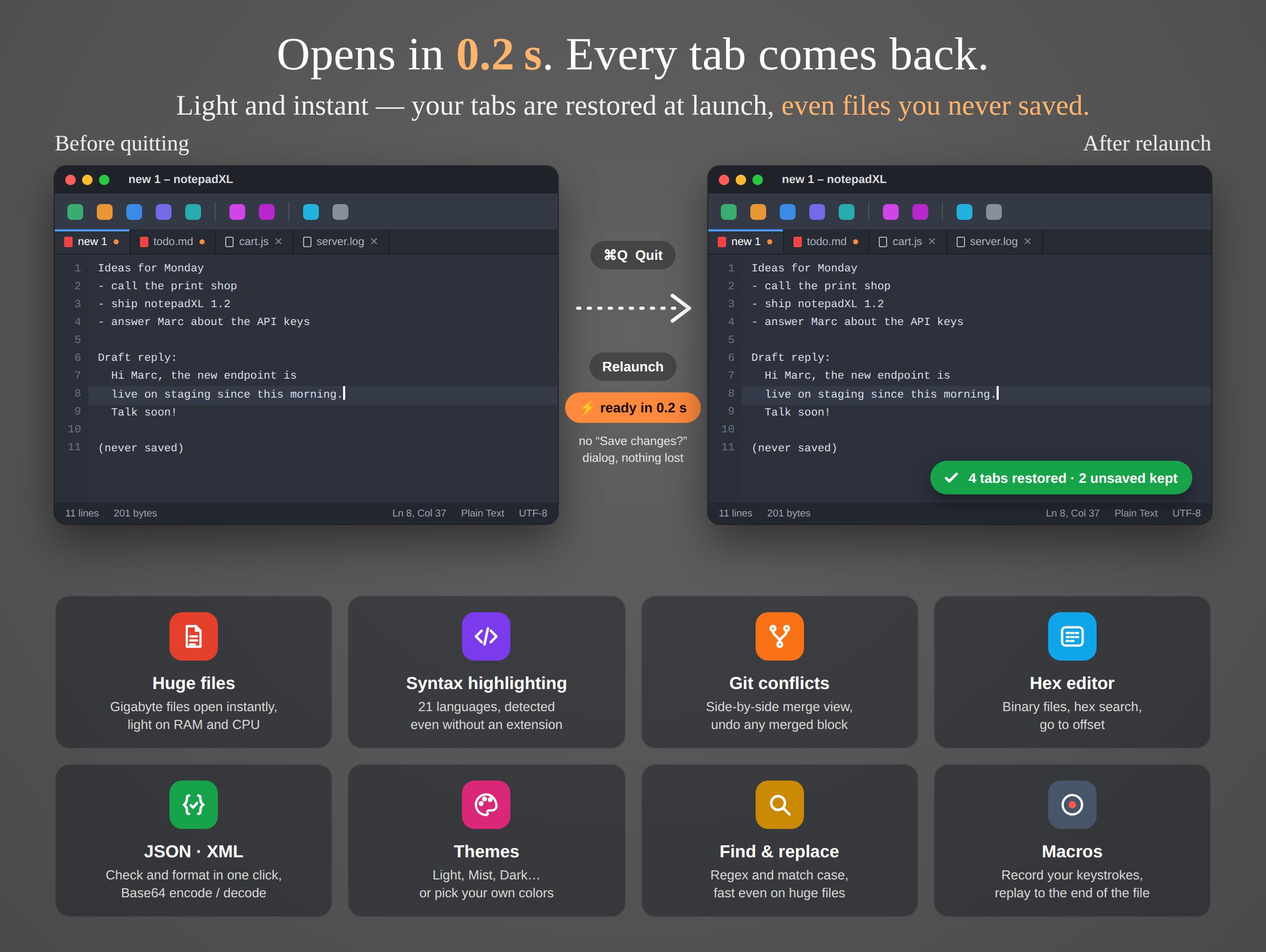
Quit with unsaved tabs open, relaunch: 0.2 seconds later everything is back — text, cursor, scroll position and undo history.
Where it sits
Most text you handle every day is not a project: a log to search, a JSON payload to read, a list to clean up, a note to keep for later. You want it open before you finish thinking about it — and still there tomorrow.
Rich text first, plain text second. Slows to a crawl on a big file, and nothing understands code.
Built inPlain text and code, any size, in tabs that survive a quit. Syntax colors, JSON/XML tools, merge view, hex.
Opens in 0.2 sProjects, indexing, plug-ins and a long start-up — heavy for reading a log or fixing one line of config.
For whole projectsWhat you get
Everything runs on your Mac, and long operations — opening, searching, converting, saving a huge file — run in the background with a progress bar you can cancel.
A native AppKit app with no runtime to boot and nothing to index: click the icon and type. Light on memory and CPU, so it can stay open all day.
Every tab is restored at launch: untitled notes, unsaved changes, cursor, scroll position and undo history. No “Save changes?” dialog when you quit.
Multi-gigabyte files open at once and stay responsive: the file is read on demand, never loaded whole into memory. Edits are kept separately until you save.
21 languages, from C and Java to Python, Rust, SQL and YAML. Detected from the extension, a shebang or the content itself — or pick one from the status bar.
Files with conflict markers open side by side, ours against theirs, aligned with the patience diff. Copy each block left or right, and undo any merged block on its own.
Check a document and jump to the exact line and column of the error. Format or compact JSON, format XML and HTML, indent code, Base64 encode and decode.
Binary files open in a hex view with an ASCII column. Search for byte sequences, go to an offset in decimal, hex or percent, and edit bytes directly.
Regex, match case, replace all — fast even on huge files. Record keystrokes as a macro, then replay it, a set number of times or to the end of the file.
UTF-8 (with or without BOM), UTF-16 LE/BE, ANSI, ISO-8859-1/2/15 and ASCII. Convert or reinterpret, switch between Unix (LF) and Windows (CRLF).
GitHub Light, Paper, Mist, Classic, Monokai, Dracula, Nord, One Dark — or build your own, down to the syntax colors. The toolbar and title bar follow the theme.
Browse your folders in a side panel and filter them by name. Add FTP or SFTP servers: a remote file opens in a tab, and saving it sends it back to the server.
Matching bracket highlight, file overview on the right, go to line or to 50 % of the file, open recent, print with line numbers and colors.
No account, no analytics, no tracking. The only connections are to the FTP or SFTP servers you add. Sandboxed: notepadXL only touches the files you open.
In pictures
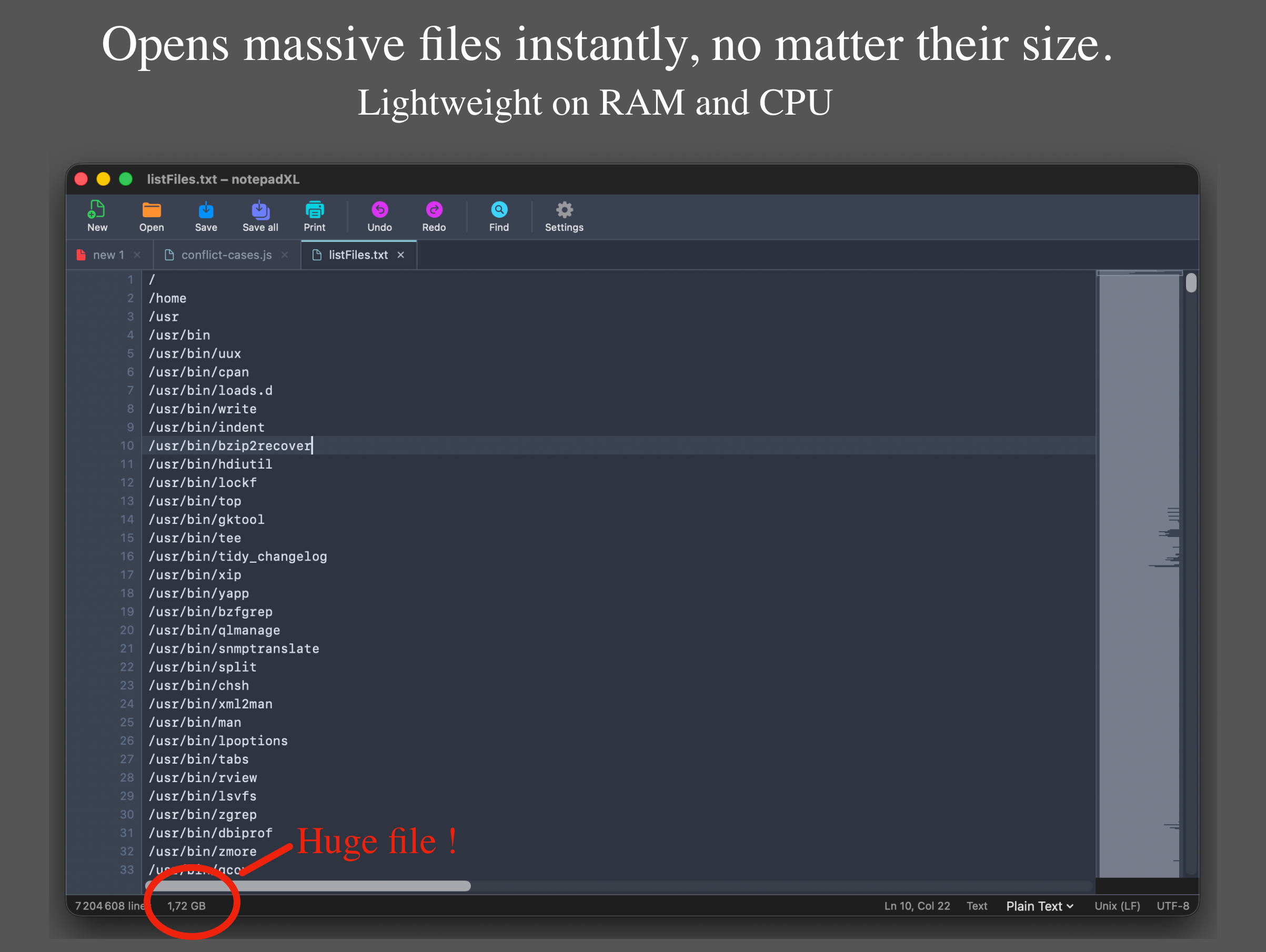
7.2 million lines, scrolled and edited like a small file. The overview on the right maps the whole document.
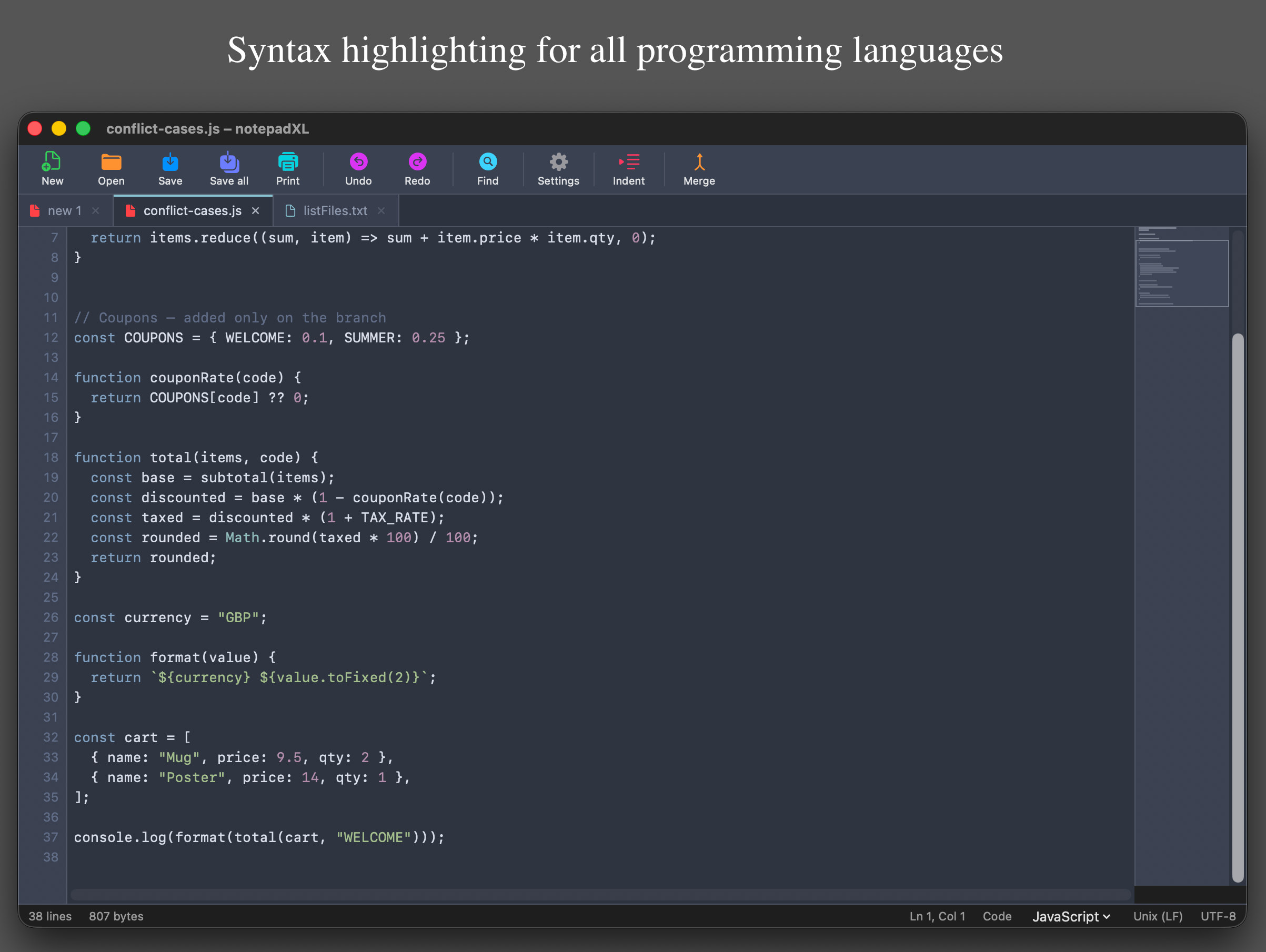
Keywords, strings, numbers and comments in the colors of your theme. Only the visible lines are colored, so it stays fast at any size.
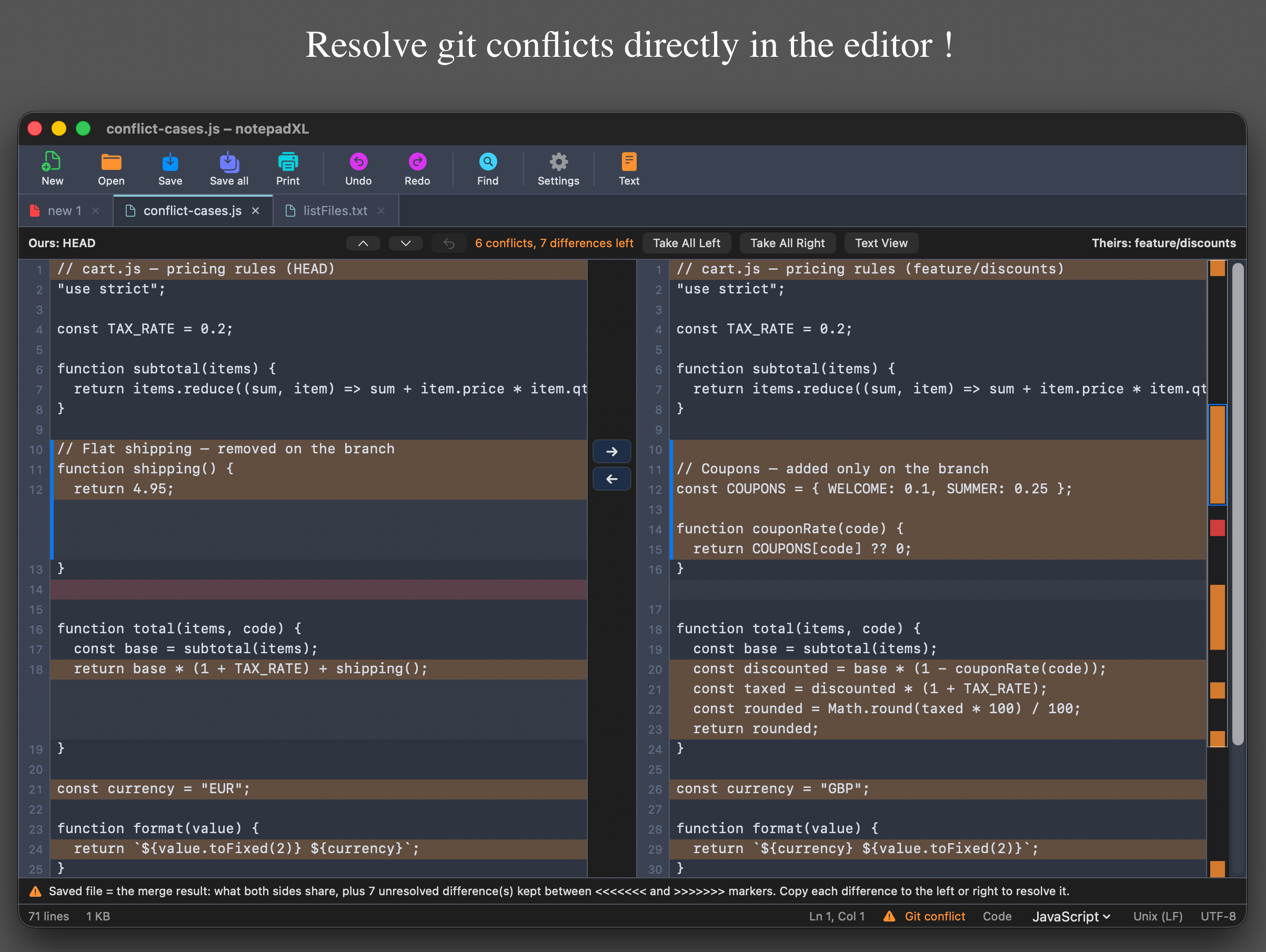
Ours on the left, theirs on the right. The saved file is always the merge result; what is still undecided stays between conflict markers.
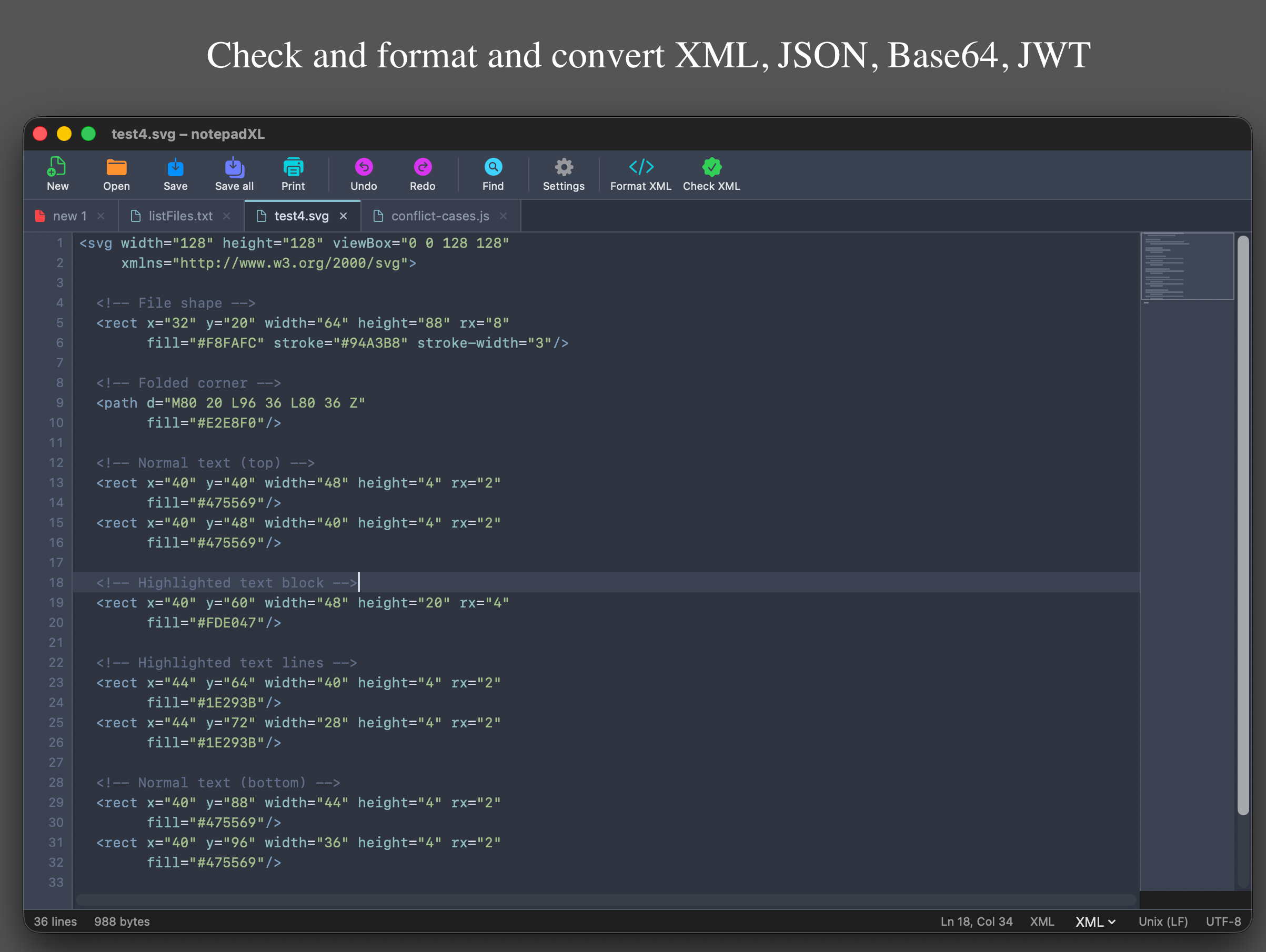
The toolbar adapts to the content it detects: Format XML and Check XML here, Format JSON and Check JSON for a payload.
Assistance
If something here does not answer your question, write to appstore@starn.fr and describe what you were doing when it went wrong.
| File and edit | |
|---|---|
| ⌘N | New tab |
| ⌘O | Open |
| ⌘S | Save |
| ⇧⌘S | Save as |
| ⌥⌘S | Save all |
| ⌘W | Close tab |
| ⌘P | |
| ⌘Z / ⇧⌘Z | Undo / Redo |
| ⌘L | Go to line |
| ⇧⌘H | Hex view / Text view |
| Search, convert, macros | |
|---|---|
| ⌘F | Find |
| ⌥⌘F | Replace |
| ⌘G / ⇧⌘G | Find next / previous |
| ⌘E | Use selection for find |
| ⌥⇧⌘J | Format JSON |
| ⌥⇧⌘X | Format XML / HTML |
| ⌥⇧⌘I | Indent code |
| ⌃⇧R | Start / stop recording a macro |
| ⌃⇧P | Play the macro |
In notepadXL's own sandboxed folder on your Mac (its Application Support folder). For a big file, only your changes are stored, never a copy of the whole file. Nothing is sent anywhere. Settings ▸ Reset Application Data erases it all.
If the tab had no unsaved changes, the new version is simply loaded. If it had unsaved changes, notepadXL cannot safely apply them to a different file: it loads the current version and tells you. While the app is open, a file changed by another application asks whether to reload it or keep your version.
Several gigabytes. The file is read on demand rather than loaded into memory, so opening is immediate and memory use stays low. Above 32 MB the line count is first estimated (≈ in the status bar); turn on Exact line count on big files in Settings to count them in the background.
A search that ignores case has to decode every block of the file. If you know the exact case of the text, check Match case: the file is then searched byte by byte, many times faster. notepadXL suggests it when it applies.
C, C++, C#, CSS, Go, HTML, INI / Properties, Java, JavaScript, JSON, Kotlin, PHP, Python, Ruby, Rust, Shell, SQL, Swift, TypeScript, XML and YAML, plus a generic mode for other code. The language is detected automatically; click its name in the status bar to choose another one for that tab.
When a file contains conflict markers, the Merge button shows both sides next to each other. Copy each difference to the left or right, or take all of one side. The document — and what you save — is always the merge result; differences you have not decided yet stay between <<<<<<< and >>>>>>> markers. Each merged block can be selected and undone on its own, even after going back to the text view.
Yes. Binary files open in the hex view; any other file can be switched to it with ⇧⌘H. Type in the hex column or the ASCII column, search for bytes such as DE AD BE EF, and go to an offset.
Macros record keystrokes, typing and commands, not mouse clicks. Move with the keyboard or with a search while recording, and the macro will replay the same moves.
It follows your macOS language, in English or French. You can force one in Settings.
Nothing on its own: no analytics, no accounts, no cloud. The only connections are the ones you ask for, to the FTP or SFTP servers you add in the files panel. See the privacy policy.
The file behind that tab was moved, renamed or deleted while notepadXL was closed, or is on a disk that is not connected. Reconnect the disk or open the file again from its new place.
Check the language shown in the status bar: if the detection guessed wrong, pick the right one there. If nothing is colored at all, Syntax highlighting may be turned off in Settings. Plain text and binary files are never colored.
On files over 32 MB the line count is estimated so the file opens at once. Turn on Exact line count on big files in Settings; the file stays usable while it is counted.
Settings ▸ Reset Application Data erases the open tabs, unsaved text, macros, recent files and settings, then restarts notepadXL as on its first launch. Your files on disk are not touched.
Bug reports, questions and feature requests: appstore@starn.fr. For a bug, telling us the macOS version, the kind and size of file, and what you did just before it went wrong saves a round of email.